
Linetypes and line styles
Fifty linetypes named in plain words, how to apply them, and how to change a line's style without touching its layer.
5 min read
The library
Fifty linetypes, grouped by what they are for rather than by which file they came out of. Every one shows you its own pattern in the picker, drawn with the same arithmetic the canvas and the plot use, the sample is the line.
| Group | What is in it |
|---|---|
| Drafting | Dashed, dotted, dash-dot, centreline, phantom, border |
| Boundary | Property line, right of way, easement, section, quarter section, municipal |
| Utilities | Water, sanitary, storm, gas, electrical, telephone, cable, fibre, irrigation, oil, unidentified |
| Topography | Top and toe of slope, ditch edge and centreline, edge of water, high water mark, treeline, marsh, rock |
| Site | Fence, barbed wire, railing, guardrail, concrete barrier, retaining wall, railway, culvert, lane line, edge of pavement |
Old names still work
A drawing that already says HIDDEN, or a DXF full of EX-WATR (MMCD), resolves to the equivalent line here rather than falling back to solid. Nothing was retired without somewhere to go.
Setting a layer's linetype
- Explorer → the layer → edit.
- Choose a linetype from the picker. Each row shows the pattern and what the line is for.
- Set the weight in millimetres, that is millimetres on the printed sheet.
- Save. Everything on the layer follows.
Overriding one line
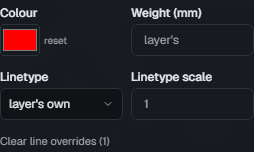
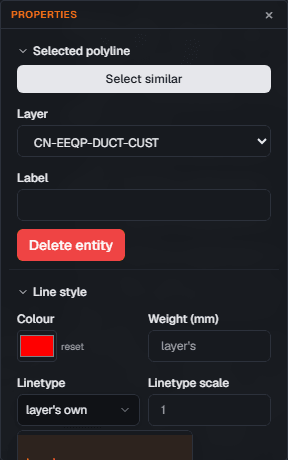
A single line, or every line you have selected, can carry its own style over the layer's.
- Select the line, or several lines.
- In properties, open Line style.
- Change colour, linetype, linetype scale or weight. Each field overrides only itself; leave a field alone and the layer's value still applies.
- Clear line overrides puts them all back to the layer.
Linetype scale
If a pattern reads too tight or too loose at your plot scale, change the linetype scale on the entity rather than picking a different linetype.
Lettered linetypes
Utility linetypes carry their letter, W for water, STM for storm, FO for fibre. The letter repeats once per pattern length, sits in the gap the pattern leaves for it, and is never printed upside down: a line surveyed east to west reads the same as one surveyed west to east.
Read next
Something here wrong or missing? Tell us and we will fix it.